MODELNATORby Robot Carving

Free 3D model workbench · in your browser

Open it.Fix it.Split it.Mold it.

Drop in a 3D model and get its size and surface area in a minute. Repair the mesh, cut it into pieces with alignment pins, turn it into a mold and export clean STLs for your CAM. Nothing to install.

Free · no account needed to use it · STL OBJ STEP IGES 3DM

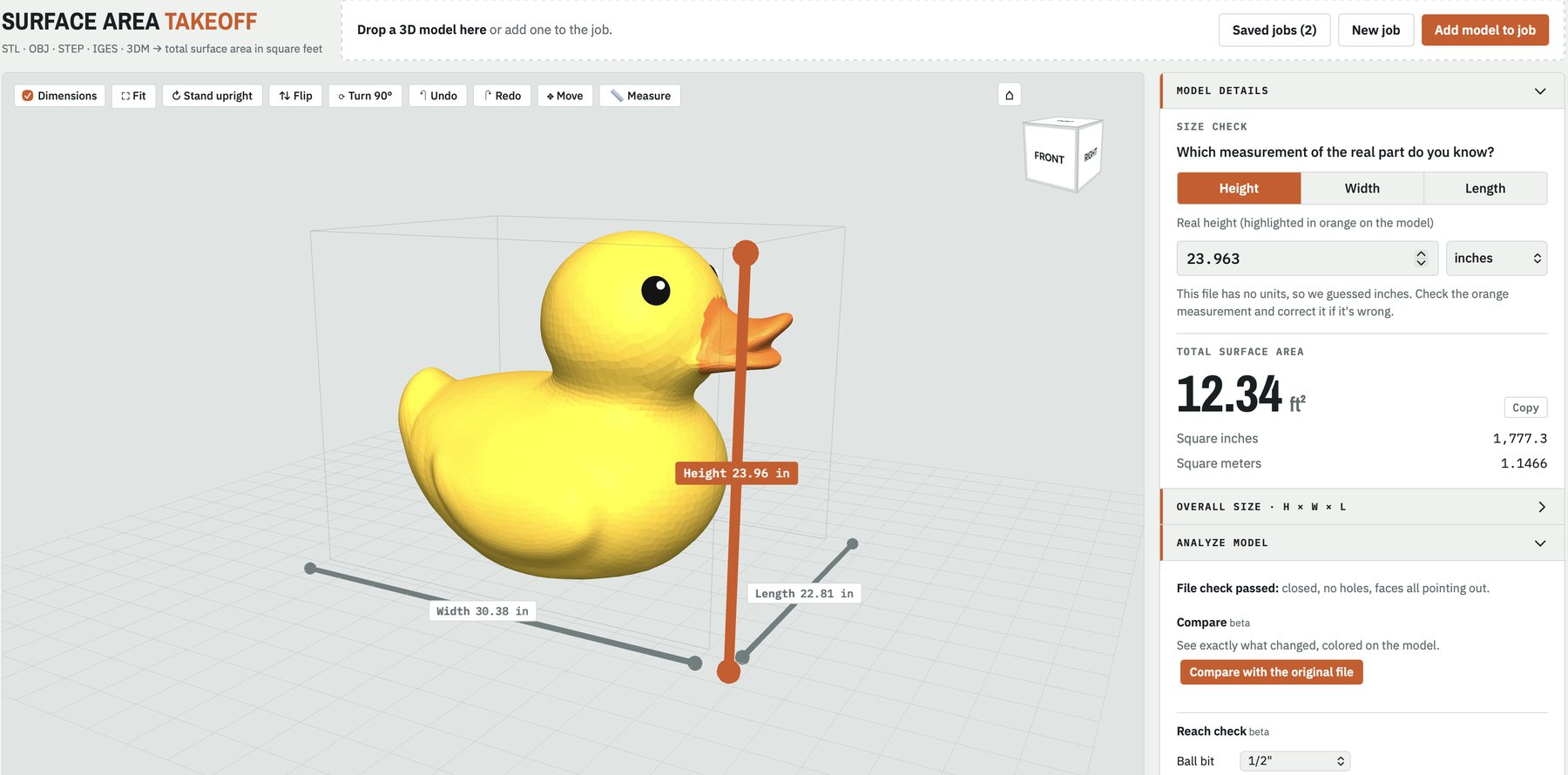
Modelnator with a yellow rubber duck loaded: height 23.96 in, width 30.38 in and length 22.81 in shown on the model, 12.34 square feet of surface area in the side panel.
12.34 ft²surface area
1,777.3 in²same, in square inches
23.96 × 30.38 × 22.81height × width × length, in
0 holesfile check, faces pointing out

What it does

The jobs you open a mesh editor for.

Built by a shop that carves foam plugs and molds with robots, for the people who send us files: fabricators, sign shops, prop and theme builders, boat and composite shops.

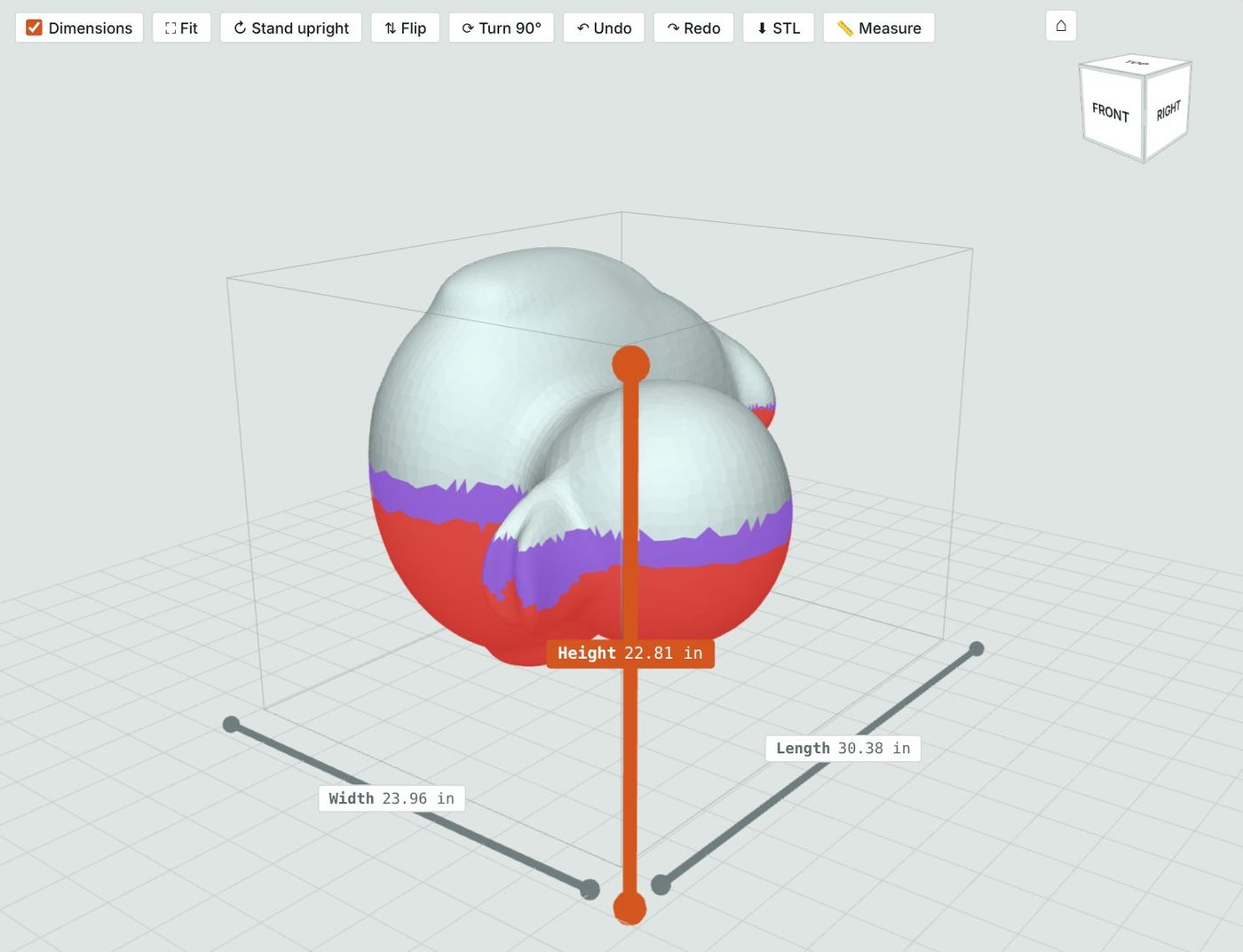
A reach check colors the lower half of the duck red for undercuts and purple for areas deeper than the bit reaches.
CHECK + REPAIR

Know the file is good before it hits the machine.

  • File check for holes, flipped faces and open edges, with one-click repair
  • Make Solid rebuilds a watertight skin around a broken mesh
  • Reach check paints undercuts, tight pockets and spots too deep for your bit
  • Size check guesses the units and lets you set the real height, width or length
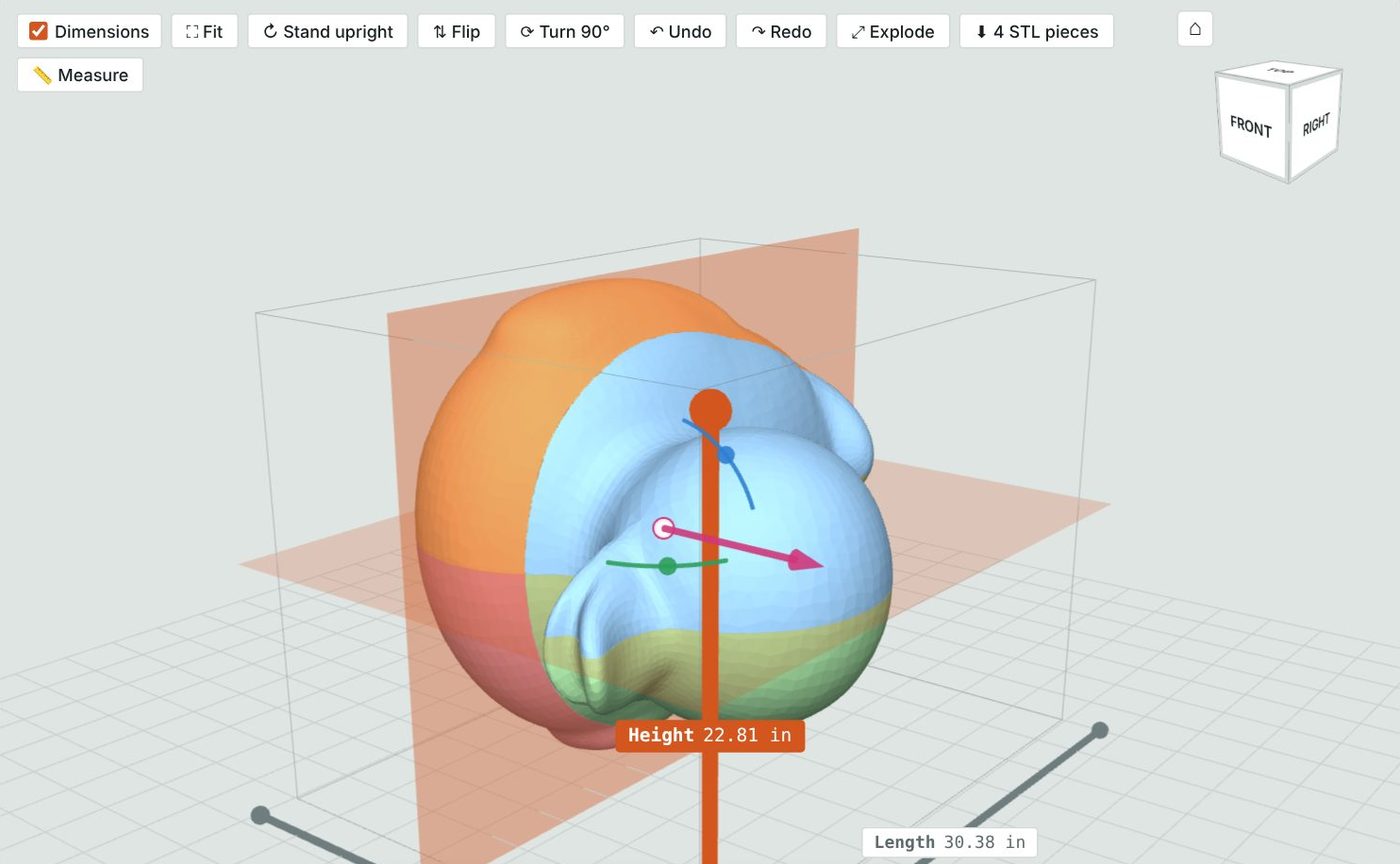
The duck cut into four colored pieces by two cutting planes, with sliders to move and tilt each cut.
SPLIT + PIN

Cut a part into pieces that fit your stock.

  • Draw a cut across the model, or add straight cuts across height, width or length
  • Slide and tilt each cut, trim a side away, or cut just one piece
  • Alignment pin holes in every cut face, sized to your dowels
  • Export every piece as STL, closed at the cuts and still in your file's position, so they line up in CAM
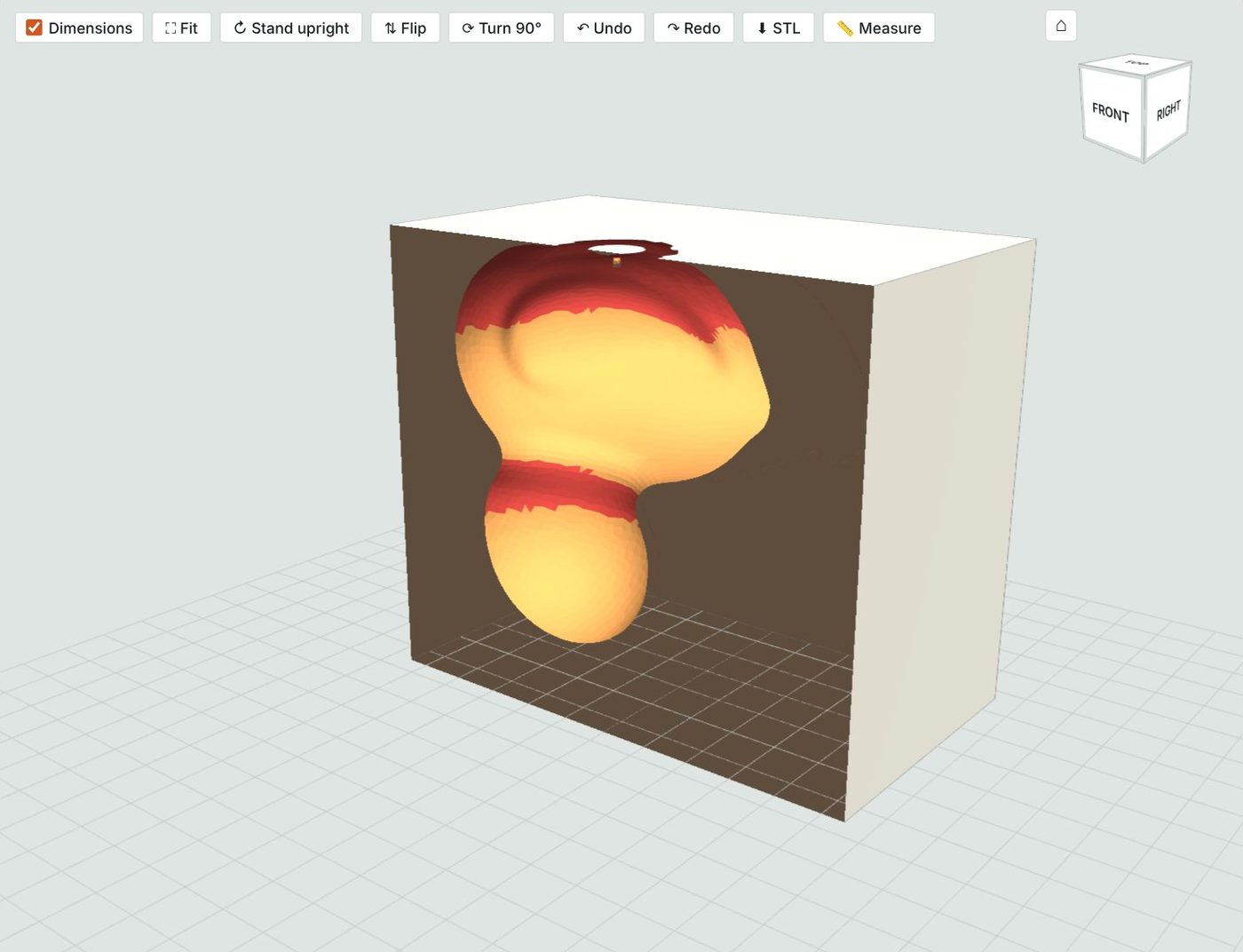
The duck turned into a negative: a foam block with the duck-shaped cavity cut away, undercut areas shown in red.
NEGATIVES

Turn any model into a mold.

  • Set the foam around it: each side, the bottom and above the opening
  • See the cavity, slice the block open and spot undercuts before you cut
  • Export the negative as STL, or a colored 3D file and a picture to share
  • Compare the negative against the original

Every tool on the bench

All of it free, for everyone.

Open + view

  • STL, OBJ, STEP, IGES, Rhino 3DM
  • Rhino layers: pick what to include
  • Several files as pieces of one job
  • Stand upright, flip, turn 90°, view cube
  • Explode pieces apart and back

Measure

  • Surface area in ft², in², m²
  • Height × width × length on the model
  • Measure tool: click two points
  • Unit guess with a real-size check
  • Foam block size and board feet

Check + repair

  • File check and repair
  • Make Solid BETA
  • Reach check: undercut, tight, too deep BETA
  • Compare an edit against the original BETA
  • Reduce triangles BETA

Edit

  • Move, turn, scale, mirror BETA
  • Join, cut, keep the overlap (booleans) BETA
  • Brushes: smooth, flatten, inflate, deflate BETA
  • Separate shells, delete loose bits BETA
  • Remesh to an even triangle size BETA

Split + mold

  • Drawn or straight cuts, slide and tilt
  • Trim, merge, cut one piece only
  • Auto parting line BETA
  • Alignment pins in every cut face
  • Negative molds with set margins

Export + keep

  • Pieces and negatives as STL (.zip)
  • Fixed model, colored 3D (.glb), picture
  • HDU skin: EPS core + finish STLs
  • Jobs saved with every cut and fix
  • Share a job with your team (free account)

Coming from Meshmixer?

Pick up where it left off.

Autodesk stopped developing Meshmixer in 2021, and it hasn't had an update since 2018. Modelnator covers the jobs fabricators used it for, in a browser tab on Mac or PC.

Meshmixer is a trademark of Autodesk, Inc. Modelnator is not affiliated with Autodesk. Source: CG Channel, Dec 2021.

In MeshmixerIn Modelnator
Inspector, fix holesFile check + Repair
Make SolidMake Solid
Plane CutSplit or Trim, with alignment pins
Boolean union, difference, intersectJoin A + B, Cut B out of A, Keep the overlap
ReduceReduce triangles
RemeshRemesh
Separate ShellsSeparate shells
TransformMove, turn, scale, mirror
Measure, unitsMeasure, size check, surface area
Sculpt brushesSmooth, flatten, inflate, deflate (a smaller set)
Not in MeshmixerNegative molds, reach check for your bit, pinned pieces lined up for CAM, foam and print prices

What it costs

Free. A free account to take files home.

No account

$0

  • Every tool above, as long as you like
  • Prices for foam carving and 3D printing
  • Your work stays in this browser
Open Modelnator

Free account

$0takes 30 seconds

  • Download your files: fixed models, pieces, negatives, PDF estimates
  • Jobs saved to your account, open them on any computer
  • Share jobs with your team as view, edit or approve
  • What you did before signing up comes with you
Create free account

Need it made?

Robot Carving will carve it or print it.

Modelnator is made by Robot Carving, a robotic foam carving shop in Orlando, Florida. The price for making your part is right in the tool, worked out from the same model you just fixed.

  • Foam plugs and molds: 1# and 1.5# EPS, HDU skin, solid HDU, positive or negative, paint ready or mold ready
  • Budget numbers for bids: a ROM range when the model isn't sliced yet, as a PDF you can attach
  • 3D printing: resin, hollow or solid, buy it right in the tool and we ship it
  • Approve online: see the final files and price, approve or ask for changes
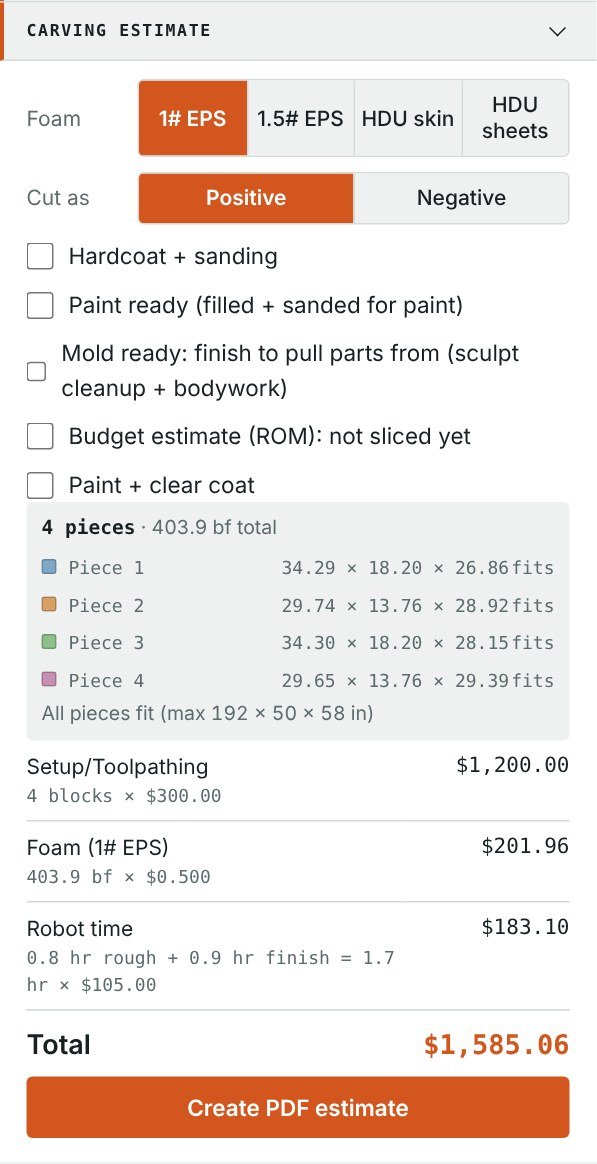
The carving estimate panel: foam choice, positive or negative, finish options and a $1,585.06 total for four pieces.

Questions

Before you drop in a file.

Is it really free?

Yes. Every tool is free to use without an account. A free account lets you download what you make and keep your jobs. We make money when you ask us to carve or print something.

Do I need to install anything?

No. Modelnator runs in Chrome, Safari, Firefox and Edge on Mac or PC.

Which files does it open?

STL, OBJ, STEP (.stp/.step), IGES (.igs/.iges) and Rhino .3dm, one file or several pieces at once. Have SolidWorks or Parasolid? Export STEP or STL first.

Are my files private?

Yes. Without an account, your model stays in your browser. With an account, only you, people you share a job with, and Robot Carving staff can see it. That matters for work under NDA.

How big a file can it handle?

Big ones. Files of hundreds of megabytes work; very dense meshes take longer, and Reduce triangles helps.

My file has no units. Which size will it use?

It guesses from the numbers and shows the size on the model. If it's wrong, type the real height, width or length and everything rescales.

Will the pieces line up in my CAM software?

Yes. Exported pieces keep your file's original position and units, closed flat at each cut.

Some tools say beta. What does that mean?

They work, and we're still improving them. If one gives you a strange result, send us a message from the job and we'll look at it.

Drop in a model and see what's in it.